
PickUpPort™
For best practices in message flow handling for a PickUpPort™, check here.
Overview
The PickUpPort™ is typically used by customers to collect pre-picked packages in a public area. Bins are delivered into a drawer that can be manually opened and closed by the user. Unlike most port types, bins are not delivered directly in front of the user; instead, they are delivered into the drawer, which the user must open manually to access the bin. The port includes a snap locking mechanism that can lock the drawer, as well as a visual indicator (LED light) showing the current state.
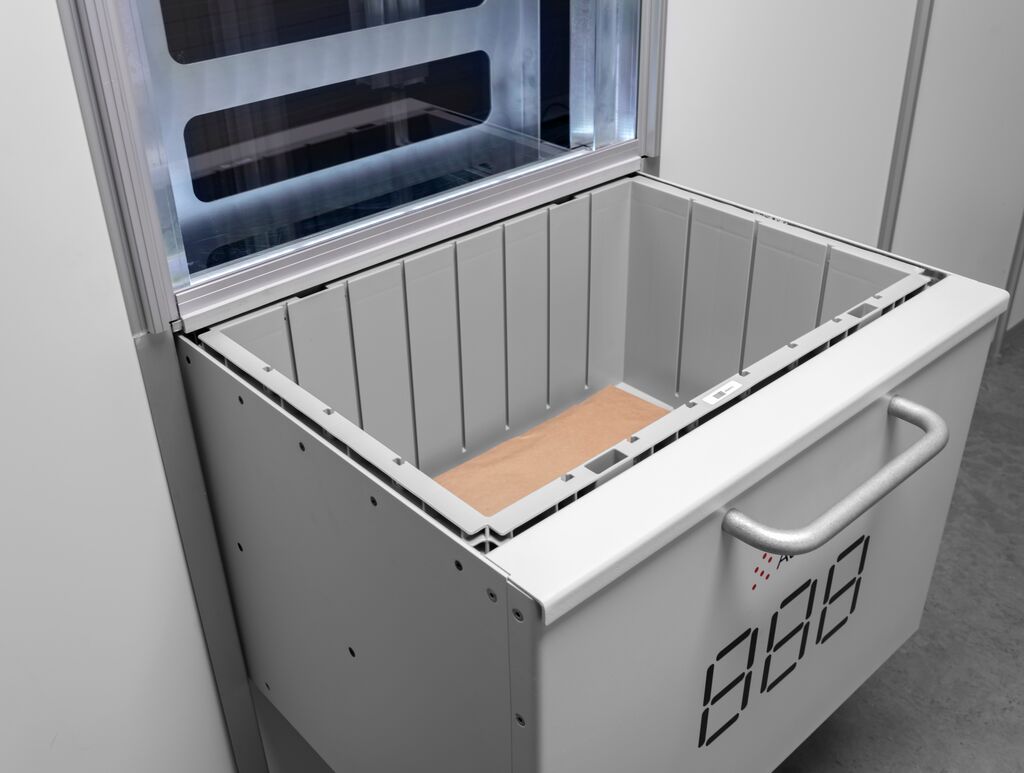
PickUpPort™ hardware.
For most port types, a bin in mode OPEN is automatically delivered in front of the user. For the PickUpPort™, the current bin (bin mode OPEN) is considered available when it has been delivered into the drawer and the drawer is unlocked. The user must manually open the drawer to access the bin. The drawer may be manually closed and reopened as long as the bin remains in mode OPEN. When the WMS logically closes the bin using the closebin method, the bin mode changes to CLOSED and the snap lock is engaged. The drawer may still be in the open position, but once it is closed, the snap lock will prevent it from being reopened.
The WMS can use the getdrawerstate method to check the actual physical state of the drawer. The drawer state is also available via the Log Publisher interface in the PDS segment. For example, the WMS may verify that the drawer is open before instructing the user to pick from it, and confirm that the drawer has been closed before completing the session.
Updated 2 months ago