
FlexBins
Application Rules
WMS must ensure the following rules are met.
Bin Content Codes
- The WMS must use distinct bin content code ranges for each bin type.
- Typically bin content codes indicate whether a bin is empty or not and provide information about bin compartments. With multiple bin types, the WMS must assign specific code ranges for each bin type.
- These ranges will be predefined and aligned with the grid zone configuration in the grid design.
Define Prepare Content Codes
- When changing the bin content codes used in the system, the
Prepare Content Codesand thePrepare Content Factorconfigurations should also be updated accordingly. If you use this feature, you probably want to prepare empty bins for all bin types.
Ports
- Ports are limited to handling a single bin size, so the WMS must plan accordingly. Use the
categoryfeature to ensure that task groups are assigned only to Ports that support their bin size.
Task Groups
- Task Groups must not mix bins of different sizes. Because ports only support one bin size, and a task group will be handled at one port, the tasks in a task group must refer to bins of the same size.
MultiPort
- MultiPort can be configured with FlexBins. However, all ports linked through a MultiPort configuration must support the same bin type and size.
Configuration Of Grids With FlexBins
The following configurations must be set in a FlexBins scenario. These configurations are typically part of the grid design but can be changed by using the Service Console:
- Define Content Sets: As already mentioned, the WMS must use separate bin content codes for each bin type. These ranges will be defined as Content Sets, for example:
- 330 bins: Content set 1000 = code 1001-1999
- 425 bins: Content set 2000 = code 2001-2999
- 220 bins: Content set 3000 = code 3001-3999
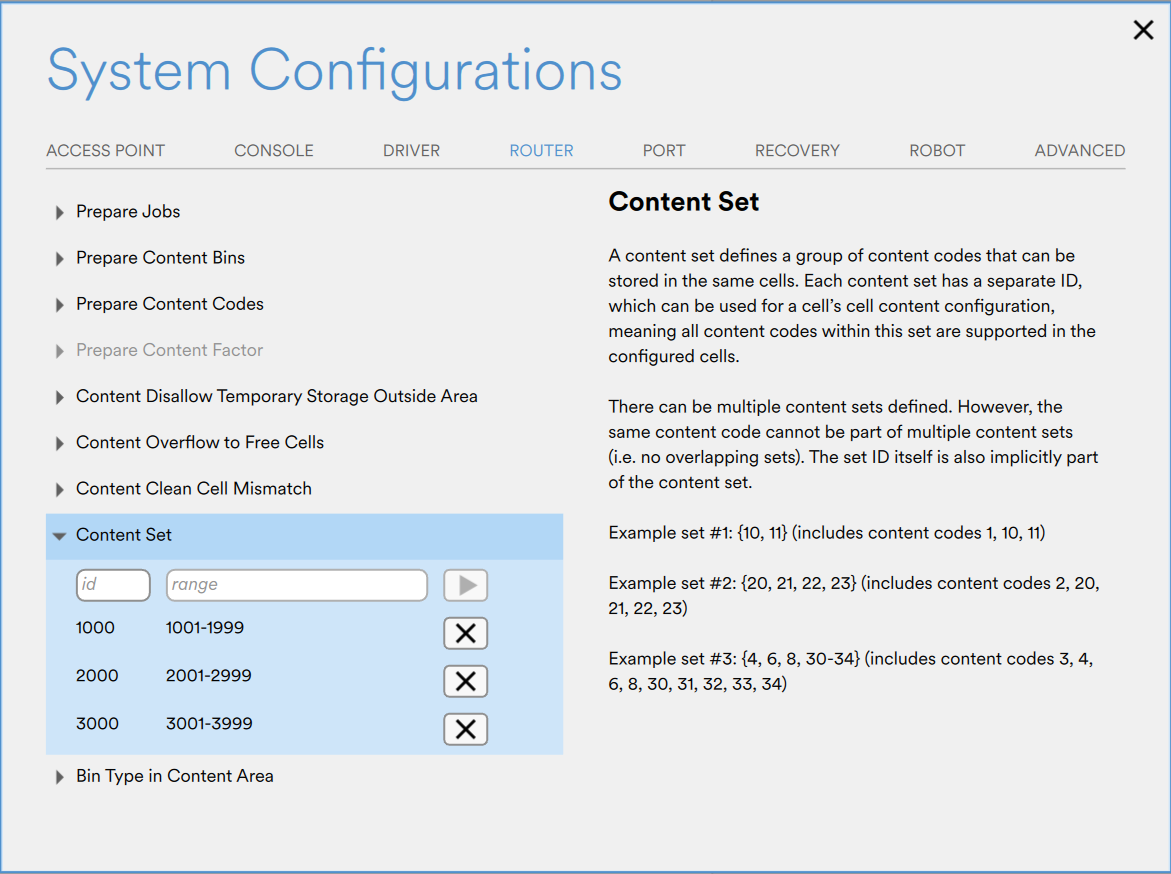
Content Set configuration in AS Console.
- Define Areas on the Grid for all Bin types: All cells in the grid will be associated with bin type by assigning the Content Set as the cell content code.
AS Console > Grid > select cells > Content
- Define Bin Type for Port: Each port has a configuration that defines the bin types it can handle.
AS Console > System Configurations > PORT > Bin Type For Ports
- Area - Content Set – Bin Types: Each content set may have a configuration that defines which bin types are permitted to use its content code range. This helps prevent the assignment of unintended content codes to bins.
AS Console > System Configurations > ROUTER > Bin Type In Content Area
Empty Bins Configuration With FlexBins
To prepare empty bins using FlexBins you would follow the same process as a Non-FlexBin system. Each bin size should have their respective empty bin content codes configured via the console.
More details about automatic preparation of empty bins configuration can be found here.
Updated about 2 months ago