
Automatic Preparation Of Empty Bins
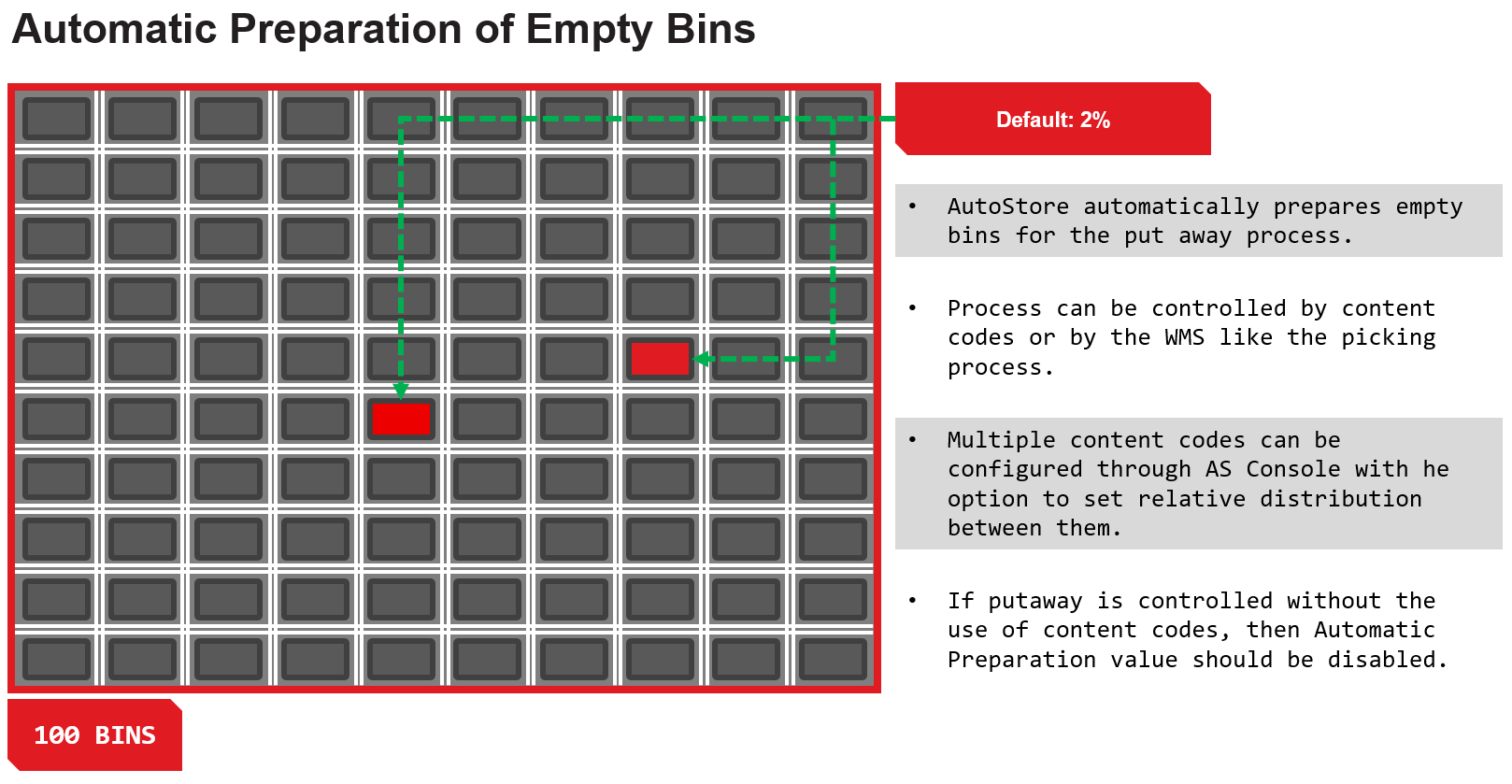
AutoStore automatically prepares empty bins to ensure efficient goods-in operations, minimizing wait times when empty bins are needed at ports.
Configuring Empty Bin Content Codes
You can define which content codes represent empty bins (default is 0) and what percentage of stacks should be reserved for those bins.
To configure, go to the Console > Configurations > Router tab.
Adjusting Preparation Percentage
By default, AutoStore reserves 2% of the grid’s top locations for empty bins (content code 0). This means, for example, in a 10x10 grid (100 stacks), two stacks will always have empty bins prepared. The percentage of grid space reserved for empty bins can be changed from the default 2% if your operation requires more (e.g., high goods-in volume). Set the Prepare Content Bins field with the desired percentage of stacks to be used for content bin preparation.
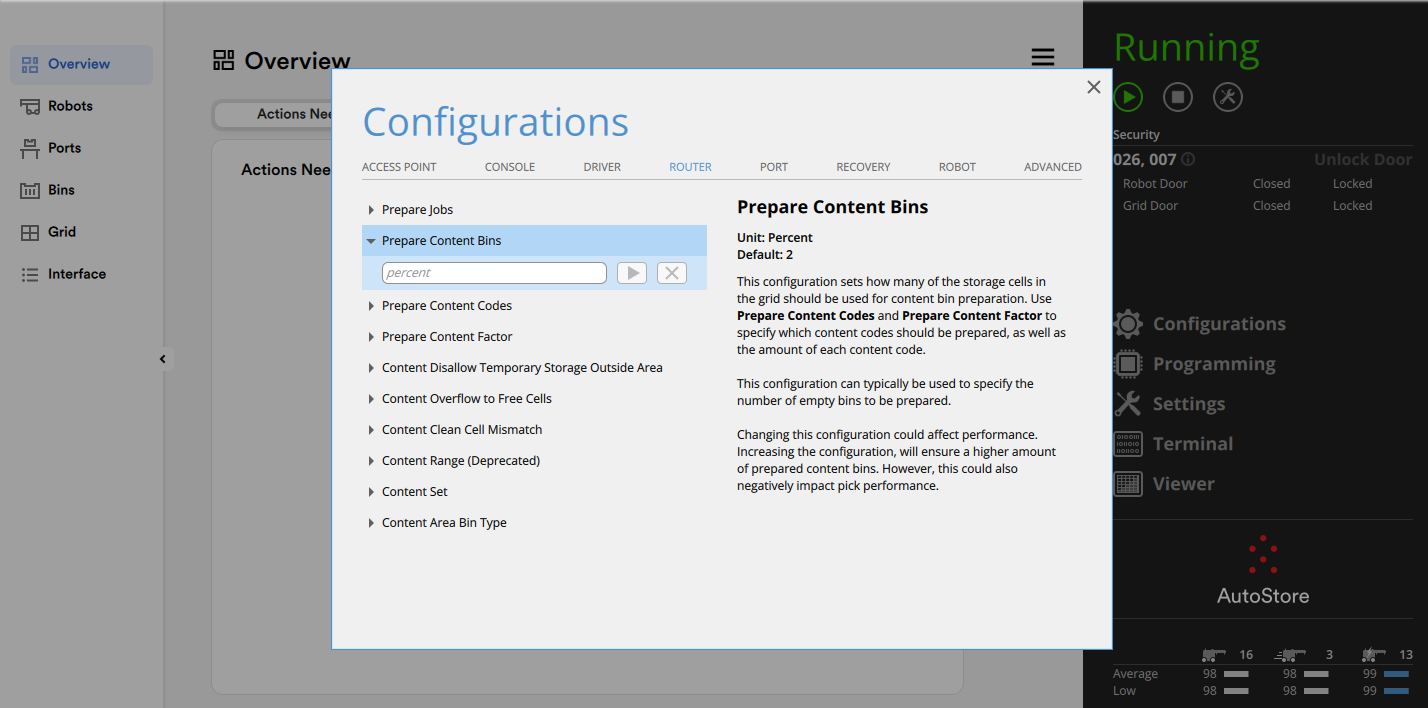
Prepare Content Bins.
Preparation Content Codes
Set the Prepare Content Codes field with the desired content codes (e.g., 10, 20, 40 for different empty bin types). See Content Codes Page for more information on how to use Content Codes.
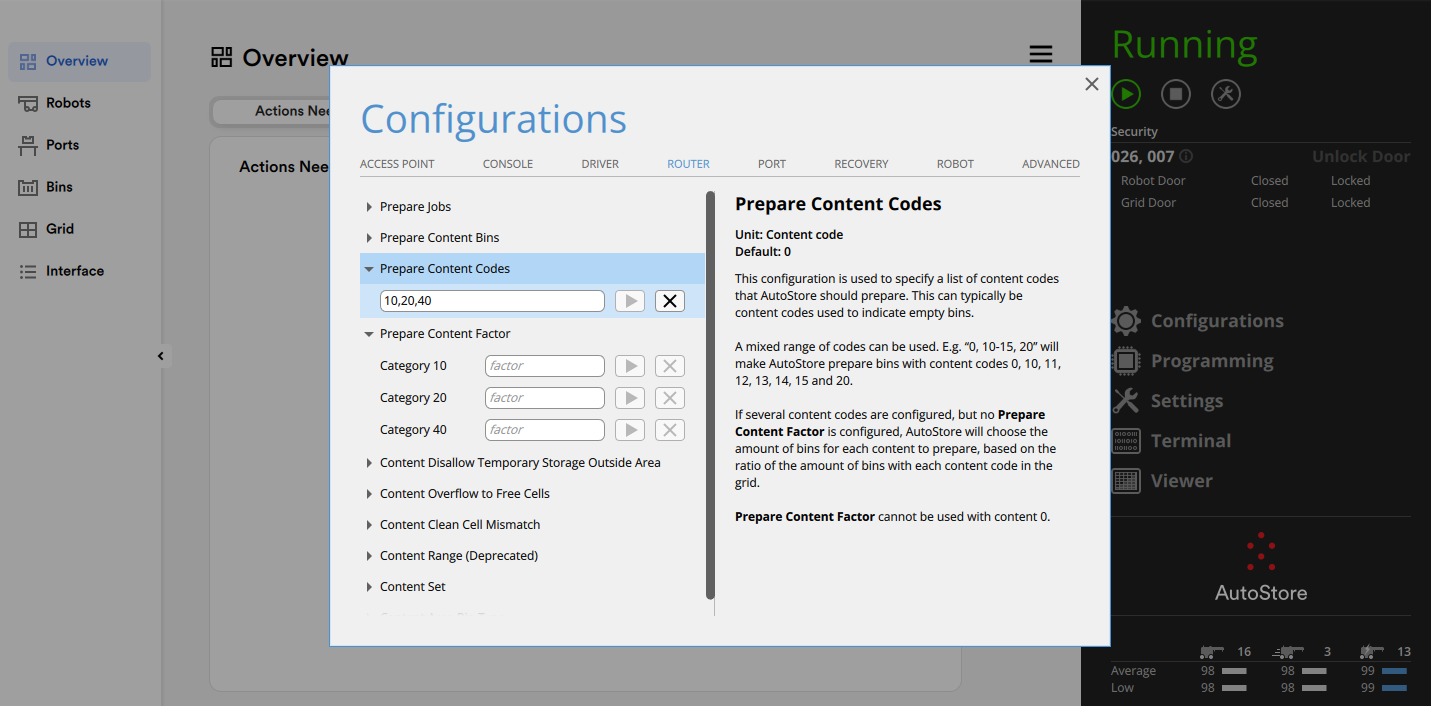
Prepare Content Codes.
Prepare Content Factor
If you have multiple empty bin content codes, you can set the distribution between them using the Prepare Content Factor field.
Example: assign a factor of 50 to content code 10, 30 to 20, and 20 to 40 within the reserved percentage. In this example CC 10 would have 1% of the grid allocated to it (50% of 2%), CC 20 would have 0.6%, and CC 40 would have 0.4%.
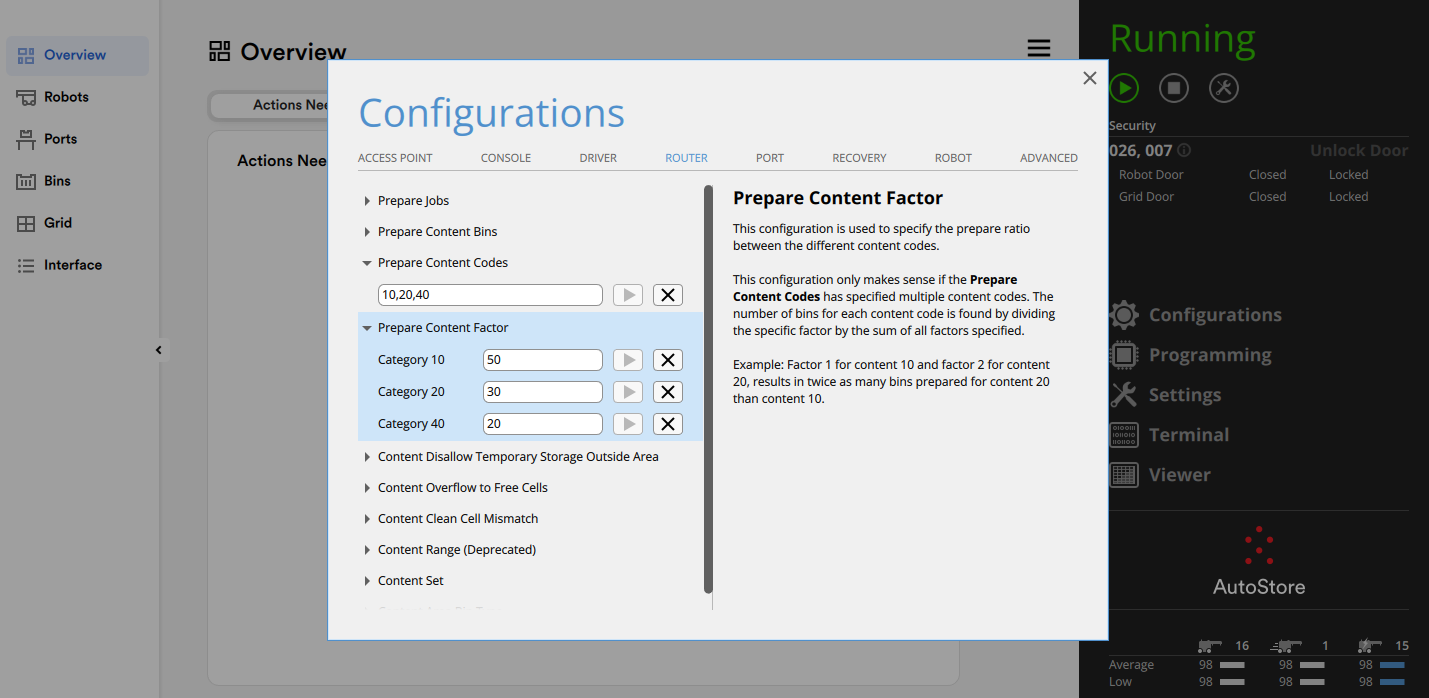
Prepare Content Factor.
AutoStore will automatically dig up and prepare the specified percentage of empty bins, split according to your configuration. If you request empty bins at a port, the system will deliver from these prepared bins, ensuring minimal delay. Adjust the percentage and distribution based on your site’s goods-in profile. Test settings in the SDK to optimize for your operation’s speed and bin availability.
Updated about 2 months ago