
Deactivating a License
The WMS SDK should be installed as C:\Program Files\AutoStore\AutoStore WMS SDK. In that folder there is a packages folder. In the packages folder there is rpsim-for-wmssdk. Select the newest version and find the RPsimForWMSSDK executable.
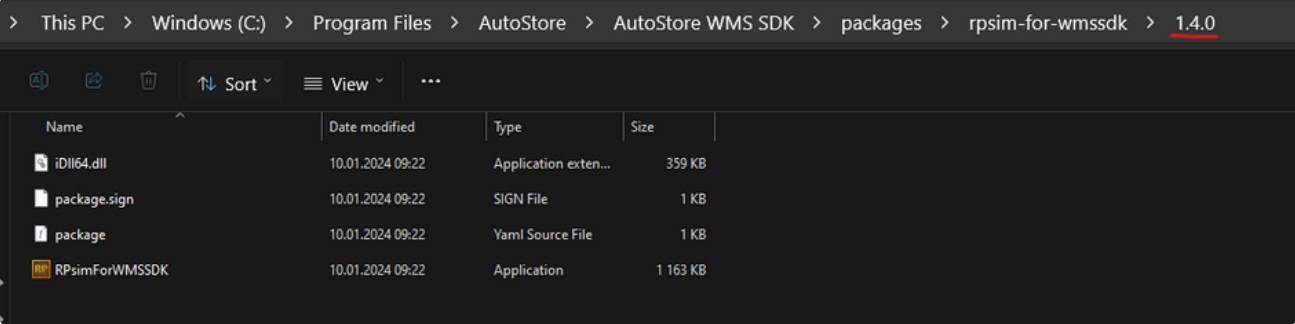
To deactive RPsim, launch the executable while holding CTRL+CAPSLOCK. You should then see this window.
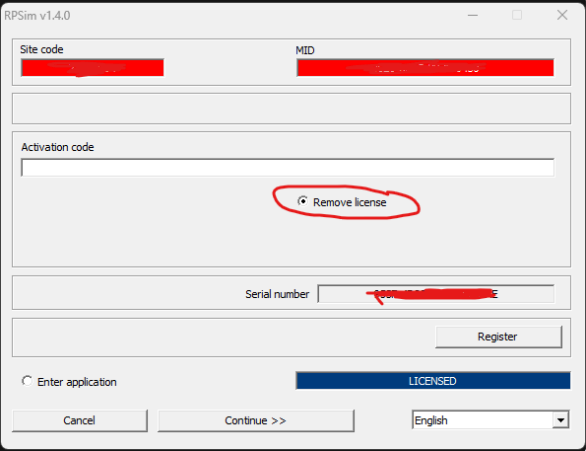
Choose Remove license and click on Continue to remove the license. You should see something like:
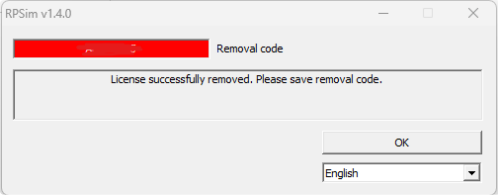
The license is then removed. Finally, click OK to finish the operation. Restart the WMS SDK Application if it is running to avoid any issues.
Updated 2 months ago